|
|
Electronic Case File Handbook Release 18-01 March 28, 2018 |

|
|
Electronic Case File Handbook Release 18-01 March 28, 2018 |
Starting Monday, April 2, 2012 all Scan PCs statewide should have two Kofax 9 software upgrades installed. Please complete the upgrades by Friday April 6, 2012. The work should take between 15 and 30 minutes.
Kofax Service Pack 3 (SP3) (.zip, 27.8 MB)
Kofax FixPack 8 to Service Pack 3 (FP8) (.zip, 7.5 MB)
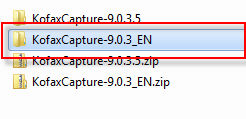
Please download these zip files to the C drive of the scan PC by right clicking on each link and choosing "Save Target As" and choose a location on the C drive. Unzip the files to the C drive.
If you download the files to a network drive or another PC, you MUST move them to the C drive of the scan PC before installation. You should be able to do a remote installation if necessary, but you must have full Administrator's rights to the scan PC and the files must be on that C drive.
These upgrades should fix many of the problems we are experiencing with grayed out documents in the CWW and long lag time for documents showing up in the CWW. The Kofax scanning software will continue to work if you don't do the upgrades, but the problems will persist until this is done.
|
|
|
|
|
 |
|
 |
|
 |
|
 |
|
 |
|
 |
|
|
|
|
|
 |
|
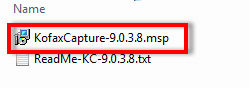 |
|
If you are doing these upgrades as part of a new installation of the Kofax software, return to 3.6.4 Install VRS Service Pack 1 (SP1) to complete the installation. If Kofax 9 was already installed and you were just doing the upgrades, you are finished.
This page last updated in Release Number: 12-04
Release Date: 08/24/12
Effective Date: 08/24/12